If you’ve ever ended a workday with a sore neck, tight hips, or tingling wrists, you’re not alone. Computers make it easy to stay in one fixed position for hours — and our bodies simply aren’t designed for that. So when people ask, “What is the best position to work at a computer?” the honest answer is:
The best position is the next one. In other words — switch often, and use several comfortable, supportive postures instead of relying on just one. Below, we’ll look at some common (and some less-common) positions, along with how to do each more safely and comfortably.
1. Traditional Sitting
Most of us work sitting in a chair. Done poorly, it rounds the shoulders and compresses the lower back. Done correctly, it can actually be supportive.
How to optimize it:
– Keep feet flat on the floor (or on a footrest).
– Knees roughly level with hips.
– Sit back against the chair with some low-back support.
– Forearms relaxed, elbows around 90–110°.
– Screen slightly below eye level, about an arm’s length away.
Tip: Set a reminder to stand or stretch every 30–45 minutes. Even a “perfect” chair becomes unhealthy if you never move.
2. Standing
Standing desks exploded in popularity for good reason — they encourage movement and reduce the time we spend compressed in a chair.
Benefits:
– Promotes more natural spinal alignment.
– Encourages subtle shifting and movement.
– Can improve alertness.
Do it wisely:
– Keep weight evenly distributed (don’t lock your knees).
– Use a footrest or small box to occasionally elevate one foot.
– Wear supportive shoes or use an anti-fatigue mat.
– Alternate between standing and sitting — not standing all day.
Rule of thumb: Try cycles like 30-35 minutes sitting → 20-25 minutes standing → 5-10 minutes walking/stretching.
3. Sitting Cross-Legged
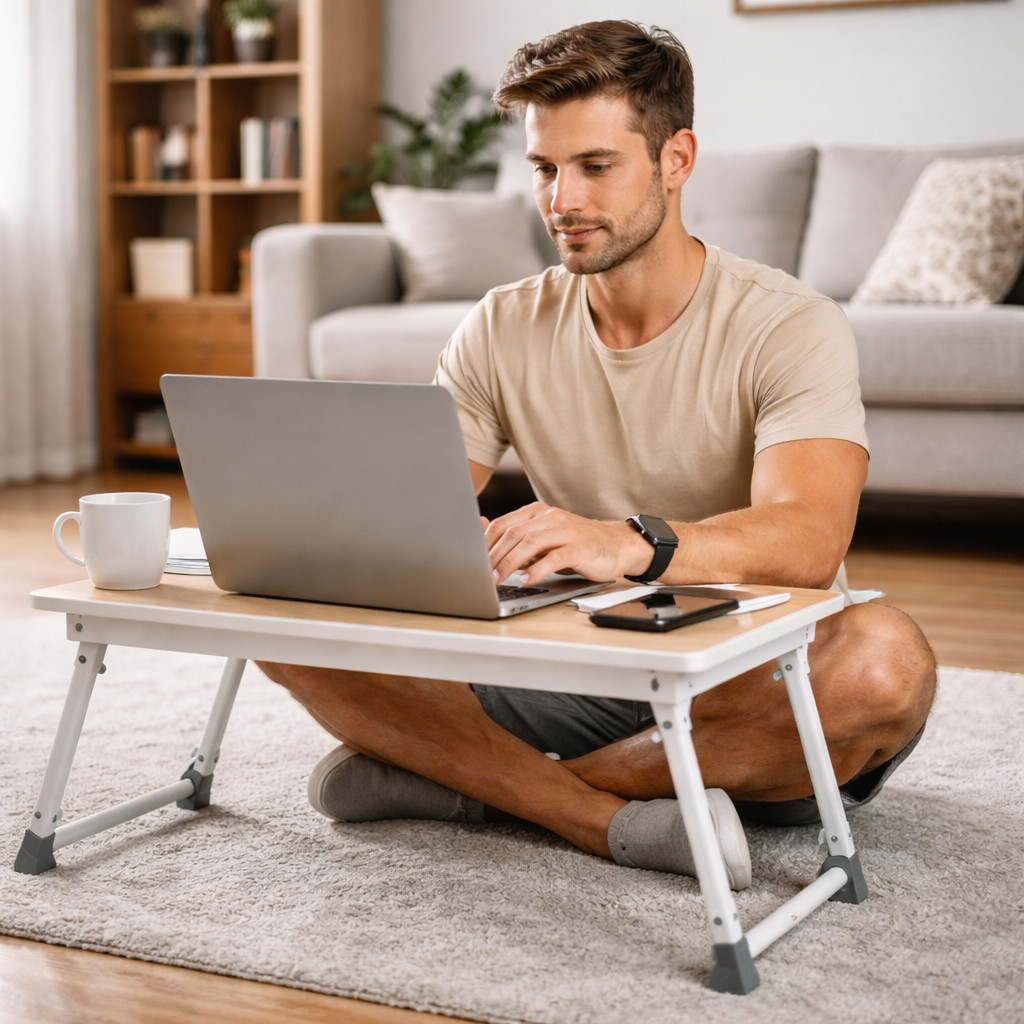
This one surprises people — but sitting cross-legged (or in other floor-seated variations) can actually be beneficial. It promotes hip mobility and encourages a more upright posture if the screen is properly positioned.
When it helps:
– Builds flexibility in hips and ankles.
– Keeps you from sinking into a soft chair.
– Encourages frequent repositioning (you’ll naturally shift).
Make it safer:
– Use a cushion to elevate your hips slightly above knee level.
– Keep your screen raised (on a low table or laptop stand).
– Change leg positions frequently to avoid numbness.
If it feels uncomfortable at first, that’s normal — start with short sessions.
4. Sitting on the Floor with Legs Straight
Sitting with your legs extended straight in front of you (sometimes called a long-sit position) can be a refreshing alternative to chairs, just make sure your back is supported. It lightly stretches the hamstrings and encourages a tall spine — if done correctly.
Benefits:
– Opens up the back of the legs.
– Encourages awareness of posture.
– Offers a simple, minimal setup.
Make it more comfortable:
– Sit with back leaning against a solid flat object like a closet or a wall.
– Sit on a folded blanket or cushion to tilt your pelvis forward.
– Keep your screen elevated so you’re not looking down.
Like other floor positions, it works best in short sessions, mixed with other postures.
5. Squatting
Squatting is a natural human position used widely in many cultures — and it can open hips and ankles while strengthening stabilizing muscles.
But here’s the key:
Squatting is best as a break position, not your main workstation posture.
How to use it:
– Try squatting while reading, brainstorming, or working briefly on a tablet or a phone.
– Squat with feet slightly wider than shoulder-width and knees wide apart.
– Support your heels with a rolled towel or low wedge if they lift off the floor.
– Avoid long static squats — think 2–5 minutes at a time, then move.
It’s a great mobility tool, but not a replacement for a stable working posture.
So… Which Position Is “Best”?
There isn’t one. What research consistently shows is that static posture — any static posture — is the problem. The body prefers movement, variety, and gentle loading changes.
Think of your workday as a rotation:
– 20–40 minutes sitting
– 15–30 minutes standing
– Short floor session (cross-legged or long sit)
– Brief mobility break or squatting
– Walk for 5 minutes when you can
Repeat. Adjust. Listen to your body.
Small Upgrades That Make All Positions Better
– External keyboard + mouse for laptops (so the screen can sit higher)
– Laptop stand or stack of books to raise the screen
– Timers or posture-change reminders
– Gentle stretches for hips, chest, hamstrings, neck
– Hydration (it is crucial for preventing stiffness)
Conclusion
Rather than hunting for the one “perfect ergonomic setup,” think of your workstation as a movement playground: Sit, Stand, Sit on the floor, Squat a bit, Walk, Return, Repeat. Your spine, hips, and brain will thank you — not because you discovered the magic position, but because you stopped staying in any single one for too long.